

You can install a chatbot on your website in as little as a few minutes.
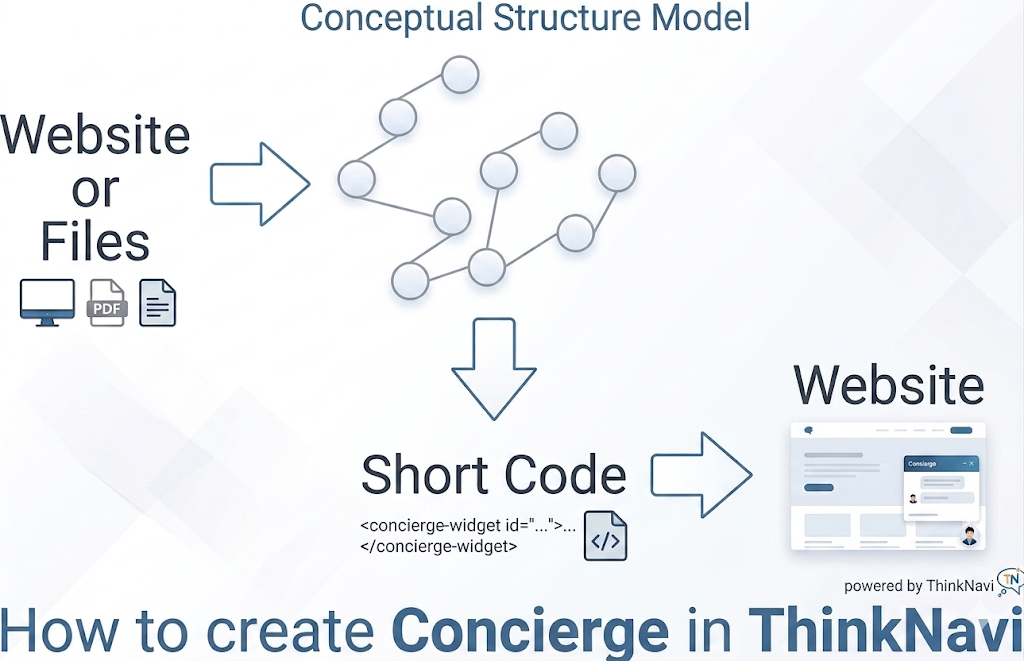
Nowadays, installing chatbots on websites is becoming essential as part of customer support. By implementing chatbots, companies can reduce the burden on employees handling phone and email inquiries while maintaining a consistent level of customer service quality.
With ThinkNavi Concierge Builder, you can set up a chatbot simply by entering your website’s URL or uploading a file (PDF, Word (.docx), Markdown (.md), text (.txt), JSON), and a short code in the format will be generated. You can then paste this code just before the closing tag on your website (or in custom HTML for WordPress) to set up the chatbot.
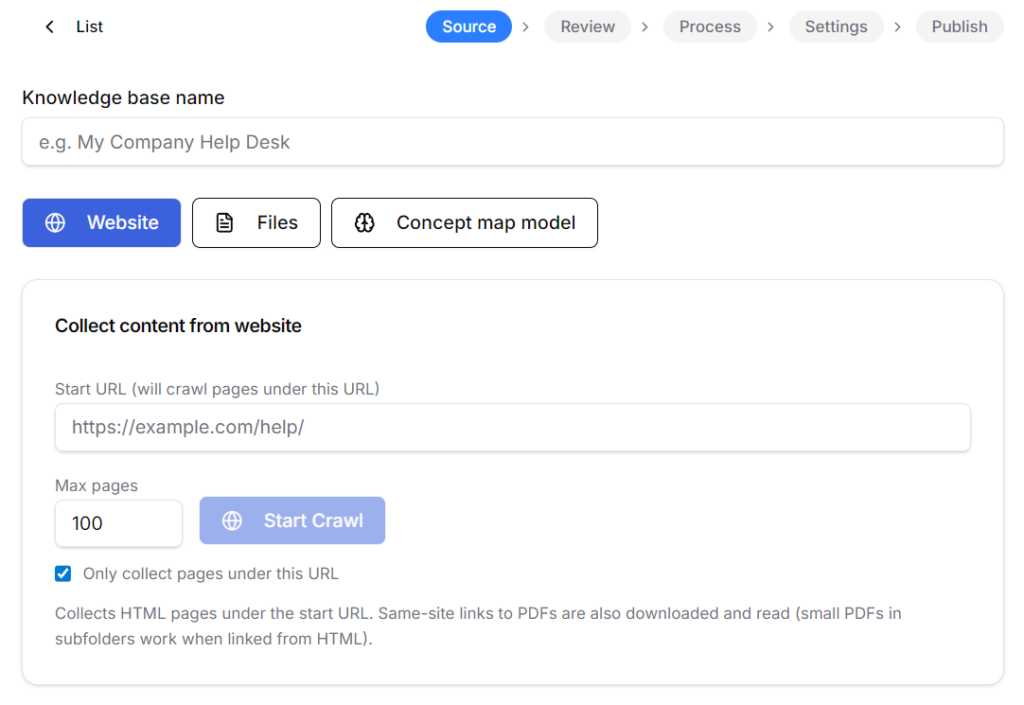
The service is subscription-based, but the monthly base fee is set at zero yen. As long as your subscription continues, the knowledge base you build will be retained. The costs of building the knowledge base, and chat are covered by purchasing additional credits, which are then credited to your account. Credits start at $16.00 for 500 credits.
As a price guideline, building a knowledge base from a document of approximately 20,000 to 40,000 characters will cost around 31 credits (approximately USD 1.00), and after the chatbot is set up, the cost is estimated at 5 credits (USD 0.16) per chat. Furthermore, if you set up your LLM API key in the settings screen, you will receive a 40% discount, bringing the cost down to approximately 90 yen for knowledge base construction and approximately USD 0.096 per chat. This is significantly cheaper than other chatbot services.